
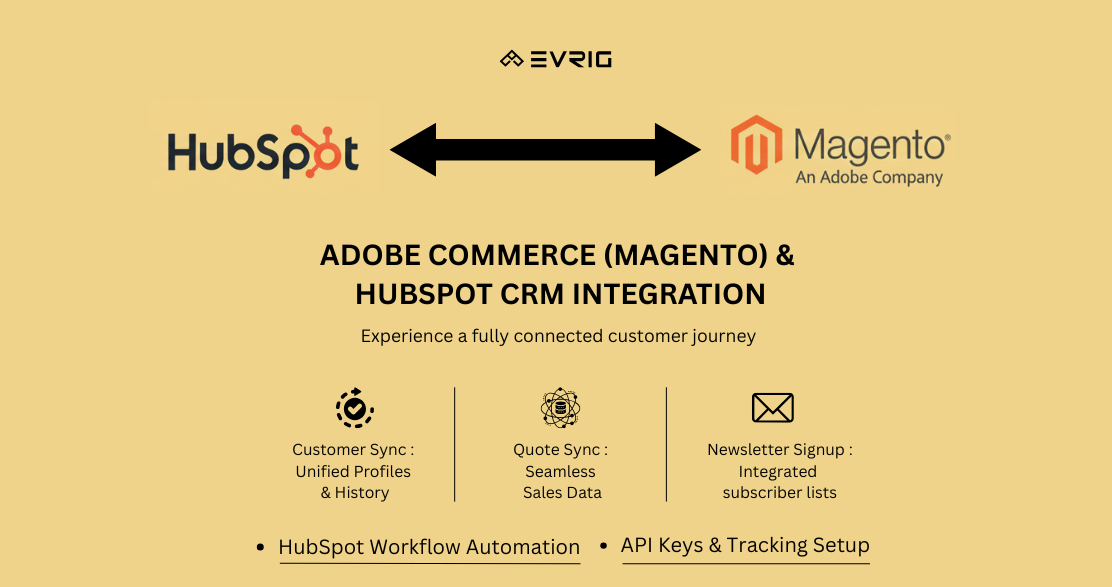
We’re happy to announce a brand new extension to make managing your Magento 2 store even easier - Evrig's HubSpot Customer Sync! This extension is designed specifically for store owners who use HubSpot to keep track of their customers.
Stop Struggling with Data - Keep Everything in Sync!
Ever felt like you have customer information scattered across different places, making it hard to keep track of everything? You’re not alone! This can be confusing for both you and your customers. Evrig’s HubSpot Customer Sync fixes this problem! It acts like a bridge between your Magento Store and HubSpot, automatically keeping all your customer information up-to-date in both places.
Real-Time Customer, Quote, and Marketing Automation Sync
Connecting your ecommerce storefront to your CRM is one of the simplest ways to boost marketing efficiency, understand customer behavior, and close more sales. HubSpot is a modern marketing and CRM platform, and when paired with Adobe Commerce (Magento), both systems together create a fully connected customer experience.
In this article, we walk through a complete integration setup between Magento and HubSpot, including:
- Customer sync
- Quote sync
- Newsletter signup sync
- HubSpot workflow mapping for Magento form data
- HubSpot API key setup
- Page tracking via HubSpot scripts
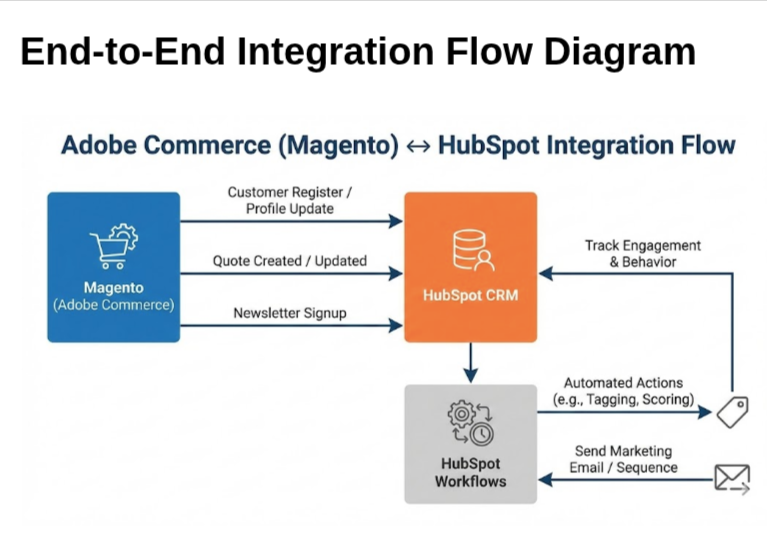
- Integration flow diagrams
All steps are explained in simple English with screenshot placeholders.
Customer Sync (Magento → HubSpot)
To keep your CRM updated with your ecommerce customers, Magento sends customer information to HubSpot whenever:
- A customer registers a new account
- A customer updates profile details
- A customer places an order (optional mapping)
What data is synced?
- First Name
- Last Name
- Phone
- Customer Group
- Company (for B2B)
- Newsletter subscription status
Sync Frequency
- Real-time or cron-based (every 5–15 minutes) depending on your module setup.
Quote Sync (Magento → HubSpot)
Quotes (a.k.a. shopping carts or saved carts) are very important for follow-ups. Syncing them into HubSpot allows your sales and marketing teams to:
- Recover abandoned carts
- Send personalized email sequences
- Track what customers are interested in
- Trigger automated workflows
What Quote Data Syncs?
- Customer email
- Cart items
- Qty and price
- Discount information
- Last updated timestamp
Frequency
- Real-time or periodic cron jobs.
Newsletter Registration Sync (Magento → HubSpot)
Magento’s newsletter subscription can be directly pushed to HubSpot.
This allows you to:
- Run HubSpot marketing campaigns
- Add subscribers to smart lists
- Trigger automated email sequences
- Track engagement
How It Works
Whenever a customer subscribes to the newsletter:
- Magento → sends subscriber email → HubSpot Contact List
- HubSpot automatically categorizes them as Marketing Contact
Setting Up HubSpot Workflows for Magento Data
HubSpot workflows allow you to run automation based on Magento customer data, quote data, or custom events.
Examples:
- If customer group changes → tag them as B2B in HubSpot
- If quote has value > $500 → notify sales rep
- If newsletter signup → send welcome email series
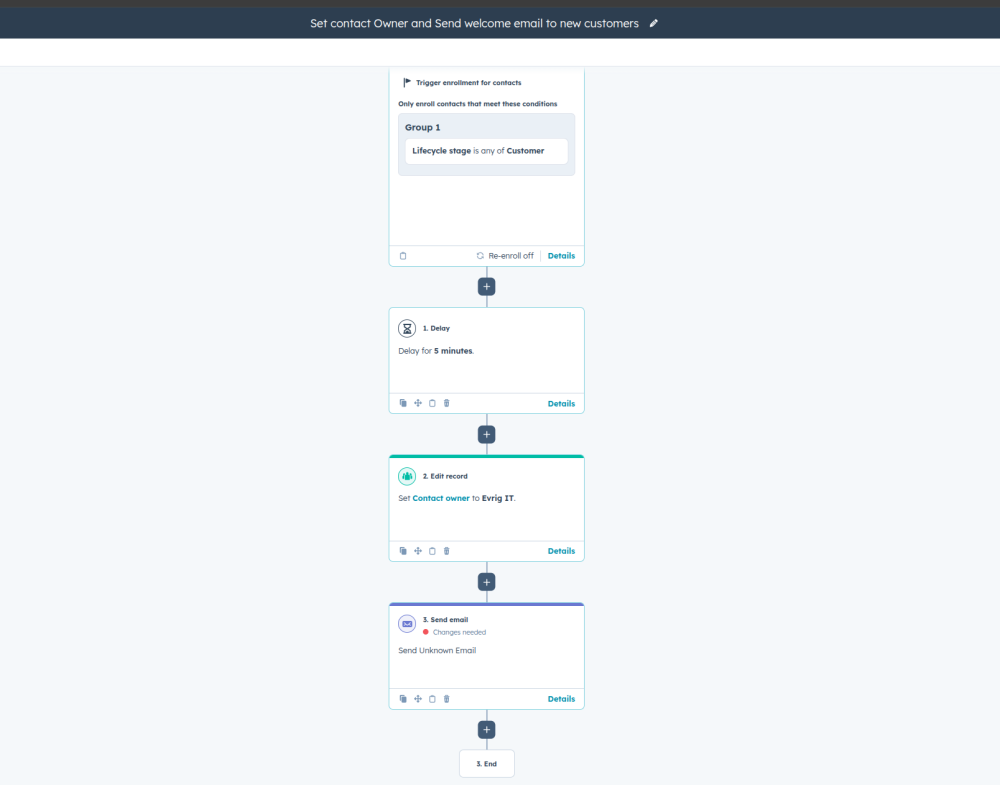
How to Create a Workflow
- Go to Automation → Workflows
- Click Create Workflow
- Choose Contact-based workflow
- Set trigger, for example:
- Contact property: Magento Customer Group = Retail
- Add actions like:
- Send email
- Assign to sales rep
- Update HubSpot property
- Add to list
The image below shows the Workflow Creation Page
HubSpot API Key / Private App Token Setup
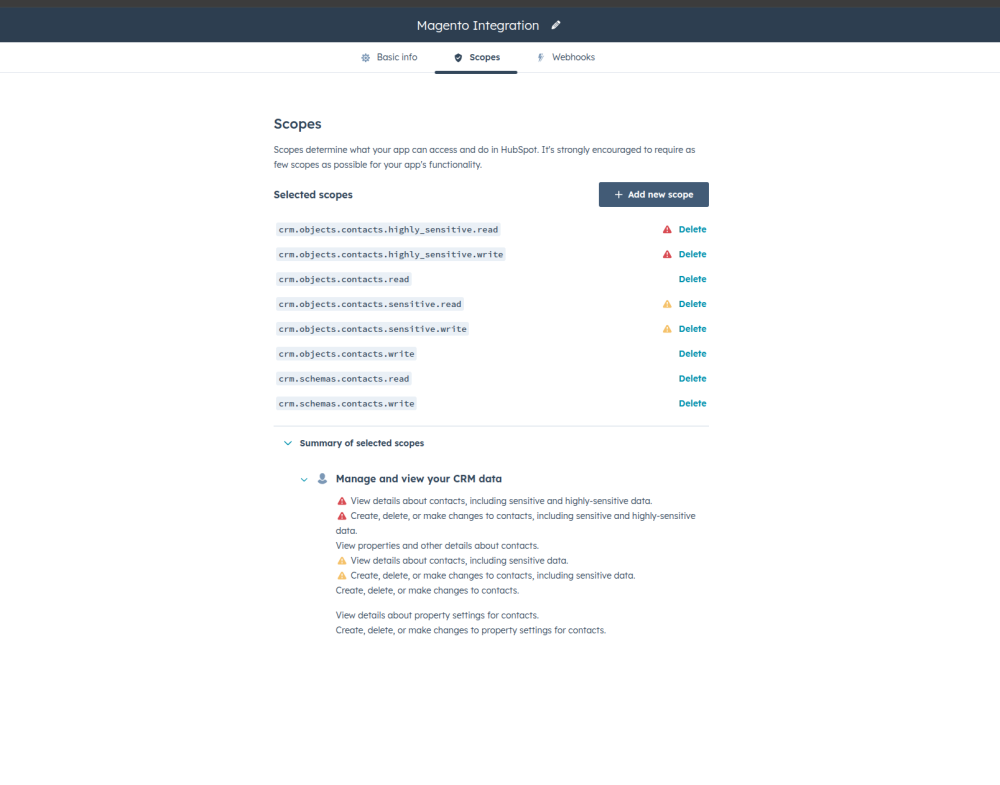
To send data from Magento to HubSpot, you need a secure token.
Steps:
- Go to HubSpot Settings
- Navigate to Integrations → Private Apps
- Click Create Private App
- Provide Name → “Magento Integration”
- Enable scopes:
- crm.objects.contacts.write
- ecommerce.write
- crm.objects.custom.write
- tracking.read/write
- Generate token
- Copy the token into Magento settings
The image below shows the Hubspot Api Token Creation
Page Tracking Using HubSpot Tracking Script
HubSpot provides a tracking script that logs website visits, form submissions, shopping behavior, etc.
Script Example:
- <script type="text/javascript" id="hs-script-loader" async defer src="//js.hs-scripts.com/222111.js"></script>
Where to Add It?
- Add in Magento → Theme HTML Head
- OR load on user interaction (for performance)
- OR add using Google Tag Manager
End-to-End Integration Flow Diagram
Final Thoughts
Integrating Magento with HubSpot gives your business a strong foundation for:
- Better customer insights
- Automated email marketing
- Abandoned cart recovery
- Lead nurturing
- Unified ecommerce + CRM data
With real-time sync and automated workflows, your team can focus more on growth and less on manual updates.
Perfect for Stores Using HubSpot CRM:
If you use HubSpot to manage your customer relationships (CRM), Evrig's HubSpot Customer Sync is the perfect tool for you! Say goodbye to data headaches and hello to a smoother way to manage your customers. Streamline your processes, save time, and get the most out of your CRM with seamless customer data integration! Ready to make managing your customers easier? Download Evrig's HubSpot Customer Sync for Magento 2 today! Are you ready to unlock the full potential of Magento? Reach out to Evrig Solutions today and discuss your journey – we're here to help! You can also mail us at sales@evrig.com