
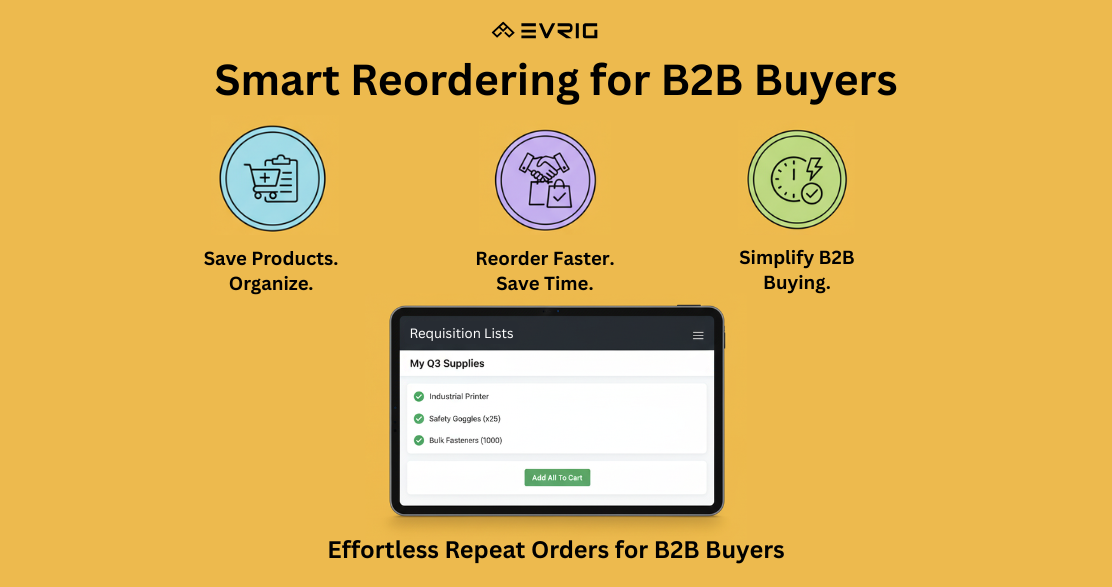
Requisition Lists in Adobe Commerce (B2B) allow buyers to save lists of frequently ordered products. This feature is ideal for streamlining repeat purchases, managing seasonal procurement, or creating department-specific shopping lists.
It is same as wishlist but difference is:
-
A requisition list is not cleared after sending items to the shopping cart. It can be used multiple times.
-
The user interface for requisition lists uses a compact view to display many items.
Key Benefits
-
Saves time for frequent purchasers
-
Allows organized procurement
-
Improves order accuracy
-
Facilitates quick reordering
What is a Requisition List?
-
A Requisition List is a saved collection of products a customer (usually a B2B buyer) can refer to and add to the cart for future purchases. It can contain:
-
Any number of products
-
Products with custom options
-
Multiple quantities per product
-
Customers can maintain multiple requisition lists, each tailored to different needs or departments.
Use Cases
-
Monthly restock of office supplies
-
Project-based procurement
-
Departmental purchasing templates
-
Seasonal orders for retail chains
Customer Actions
-
Creating a Requisition List
-
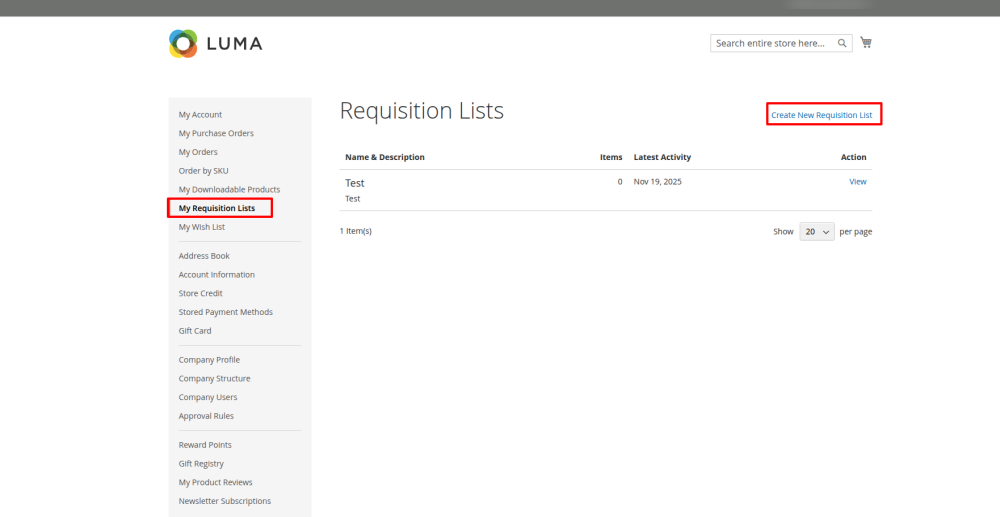
Navigate to My Account > Requisition Lists
-
Click Create New Requisition List
-
Enter a list name and optionally a description
-
Save the list
-
-
Adding Products to a List
-
From a product page or search result:
- Click Add to Requisition List
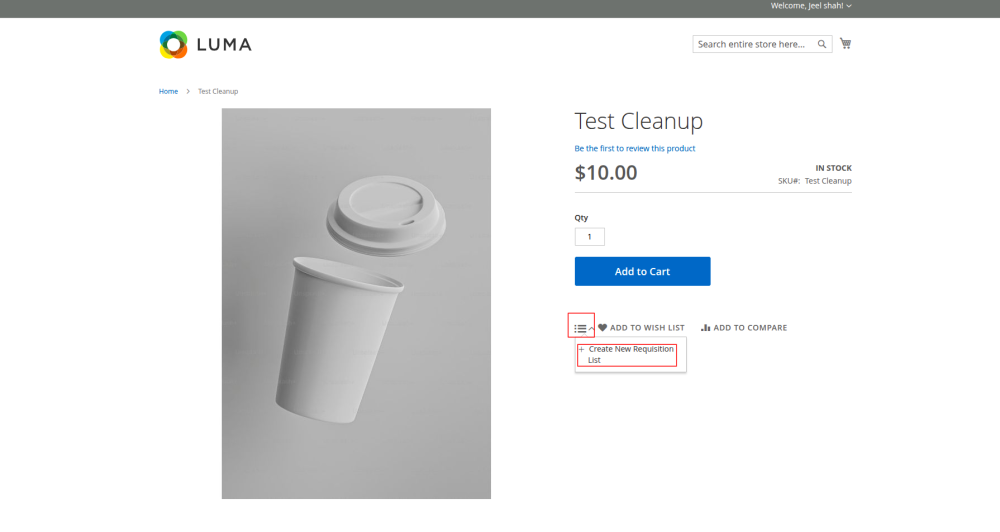
- Choose an existing list or create a new one on the fly
- Click Add to Requisition List
-
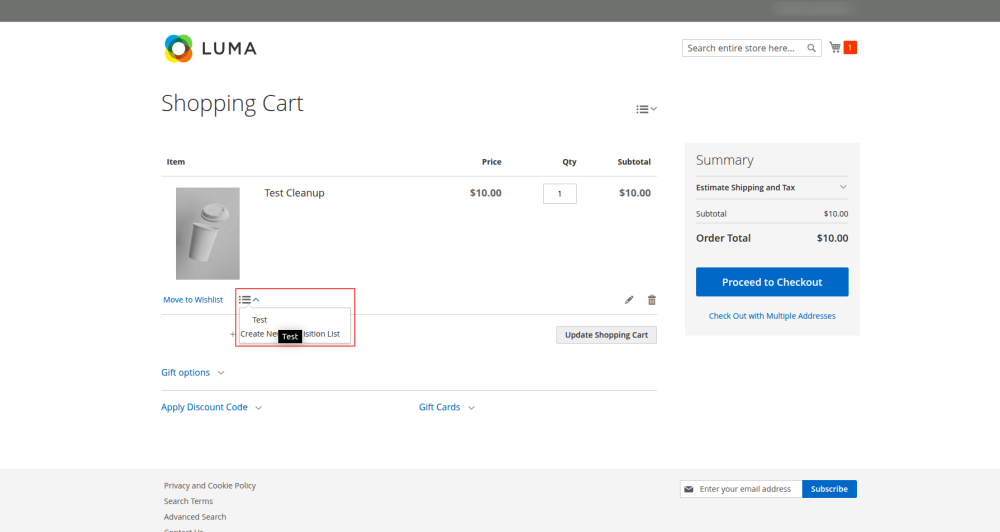
From the cart:
-
Select Move to Requisition List
-
-
-
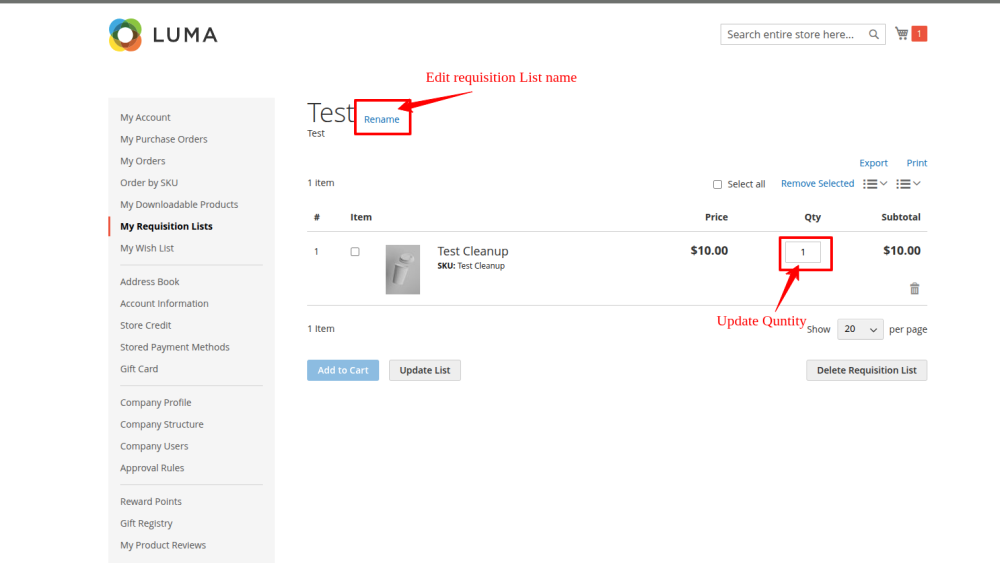
Managing a List
-
Edit list name or description
-
Update quantities
-
Remove items
-
Move items between lists
-
-
Adding to Cart
-
Add selected items or the entire list to the shopping cart
-
Review and proceed with standard checkout
-
Admin Configuration
-
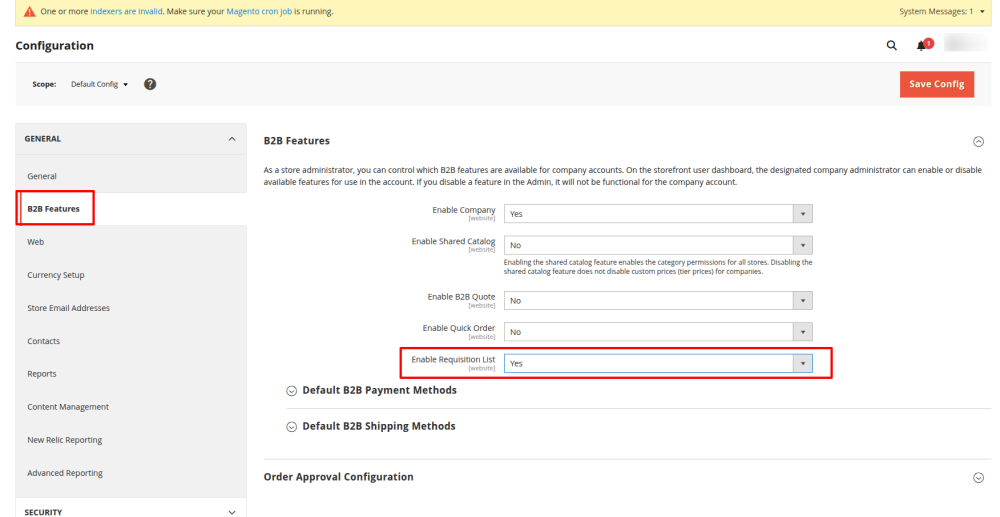
No specific configuration is needed to enable Requisition Lists for B2B. However, ensure:
-
The B2B module is installed and enabled
-
The customer is a B2B customer with company access
-
The customer has appropriate permissions to use requisition lists
-
Admin > Stores > Configuration > B2B Features > Enable Requisition (set to Yes)
Access Control
- Requisition Lists are only available to:
-
Logged-in customers with B2B account access
-
Users under a company profile
-
Products added to cart from a requisition list should be assigned with a shared catalog
-
Supported Product Types
-
Simple
-
Configurable
-
Grouped
-
Bundle
-
Virtual
-
Downloadable
Bulk Actions Available
-
Add all items to cart
-
Copy multiple items to another requisition list
-
Remove selected items
Notes
-
Requisition Lists are different from Wishlists (used in B2C scenarios).
-
Prices may change between saving and ordering; pricing is refreshed when added to cart.
-
Stock availability is validated during the add-to-cart process.
Related Resources
-
Company Accounts Overview
-
Shared Catalogs
-
Quick Order Feature
Add Products to a requisition list from:
-
Product Page
-
A Catalog Page
-
The Shopping Cart
-
Existing Orders
-
Existing Quotes