
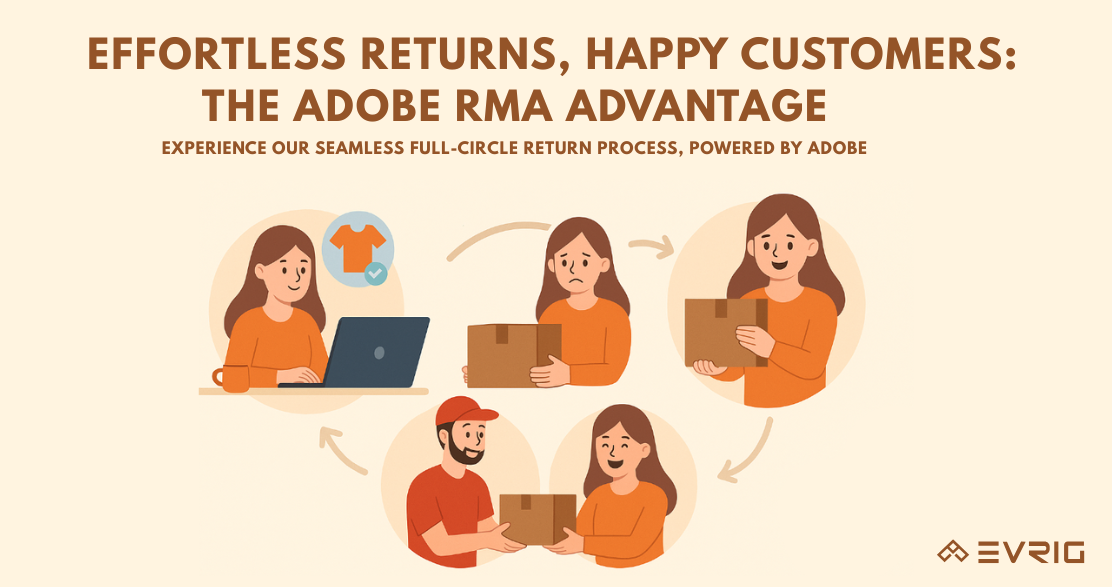
Why RMA Matters in 2025
In modern eCommerce, returns are not a cost center — they are a trust center.
Customers feel confident buying only when returning a product is easy, transparent, and hassle-free.
Return convenience is not an after-sales feature — it is a core sales driver.
Adobe Commerce RMA (Return Merchandise Authorization) provides a structured, customer-friendly, enterprise-level return architecture that supports end-to-end return management.
What is RMA in Adobe Commerce?
RMA (Return Merchandise Authorization) is Adobe Commerce’s built-in system that allows customers to return products for:
- Refund
- Exchange
- Store Credit
When an RMA request is submitted, Adobe Commerce generates a unique RMA number that tracks the entire return lifecycle.
Supported product types include:- Simple, Configurable, Grouped, Bundle
Not supported:- Virtual, Downloadable, Gift Cards
RMA Workflow Overview
RMA follows a complete end-to-end return process:
- Customer submits RMA request
- Merchant reviews & authorizes the request
- Customer ships the product
- Merchant marks the item as Received
- Merchant processes the resolution:
- Exchange → New order created
- Refund → Credit Memo
- Store Credit → Credit Memo → Store Credit Balance updated
- RMA is closed
RMA Dashboard Explained (Admin View)
Path:- Admin → Sales → Sales → Returns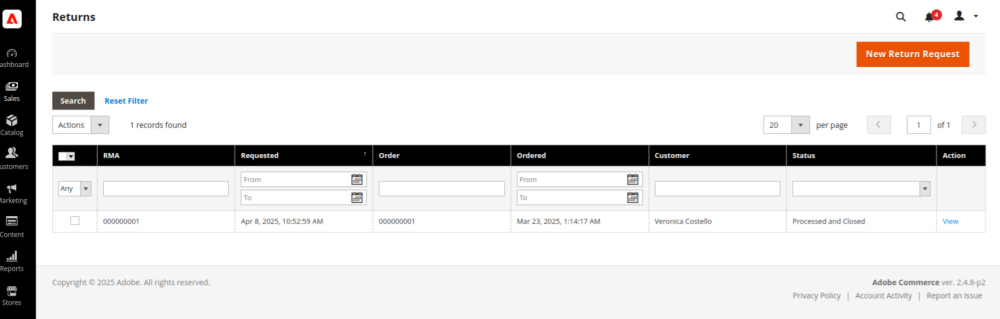
The RMA dashboard lets merchants view:
- RMA ID
- Request date
- Order details
- Customer name
- Status of the RMA
- Action to open/edit
RMA Status Lifecycle
Here is what each RMA status means:
- Pending – RMA created by customer
- Authorized – All items approved
- Partially Authorized – Only some items approved
- Denied – All items rejected
- Return Received – Items received
- Return Partially Received – Only part of the returned items received
- Approved – Approved for final handling
- Rejected – Rejected after review
- Processed & Closed – RMA fully completed
- Closed – Closed without processing
How to Configure RMA in Adobe Commerce
1. Enable RMA in Store Configuration
Path:- Admin → Stores → Configuration → Sales → RMA Settings
Recommended settings:
- Enable RMA on Storefront: Yes
- Enable RMA on Product Level: Yes
- Use Store Address: Yes/No based on return policy
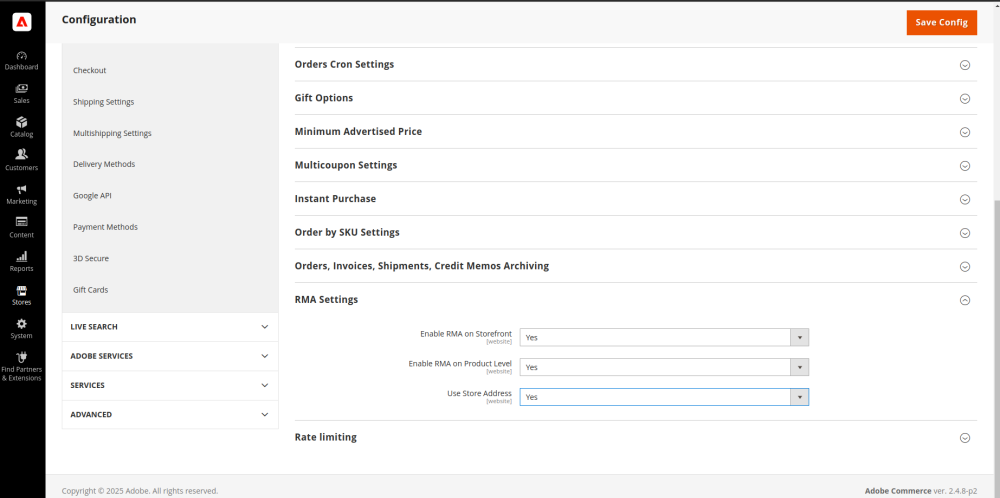
Click Save Config.
2. Enable Shipping Methods for RMA
Path:- Admin → Stores → Configuration → Sales → Delivery Methods
For supported carriers like FedEx or UPS:
- Enabled for RMA → Yes
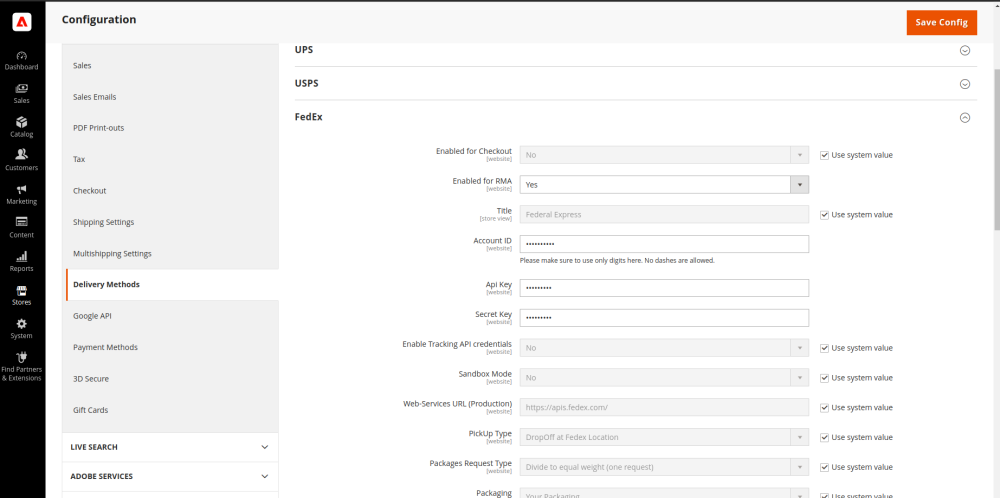
This allows generating return shipping labels.
3. Configure RMA Per Product
Path:- Admin → Catalog → Products → Edit Product
You can manage:
- Whether to use global configuration
- Whether to enable RMA for that specific product
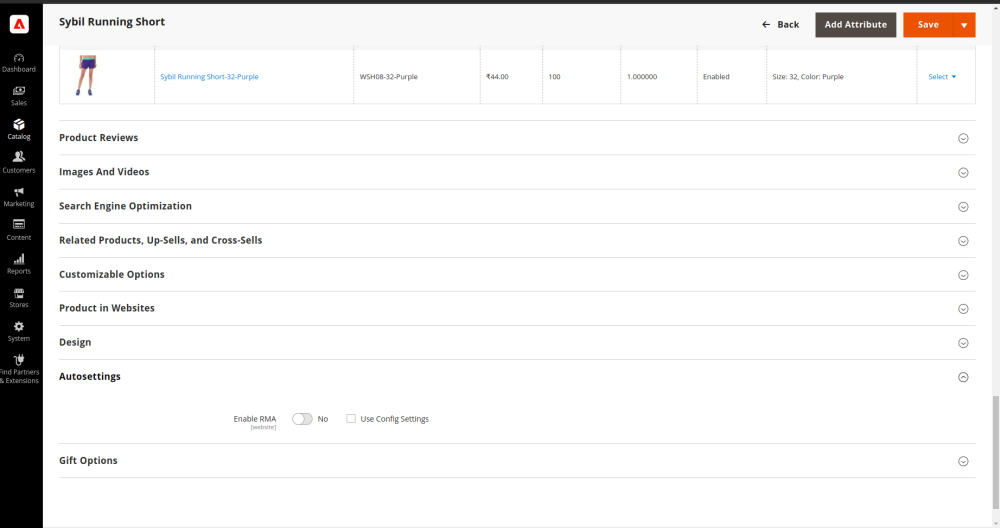
Useful for restricted items (hygiene, clearance, non-returnable products).
Returns Attributes (Custom RMA Fields)
Adobe Commerce allows adding custom RMA attributes for better insights.
Path:- Admin → Stores → Attributes → Returns
Creating a Custom Attribute (Example: package_condition)
- Click Add New Attribute
- Enter Default Label
- Set Attribute Code
- Choose Input Type (text, dropdown, file, image, etc.)
- Choose whether value is required
- Set validation rules
- Enable Show on Storefront
- Add dropdown options (if applicable)
- Save the attribute
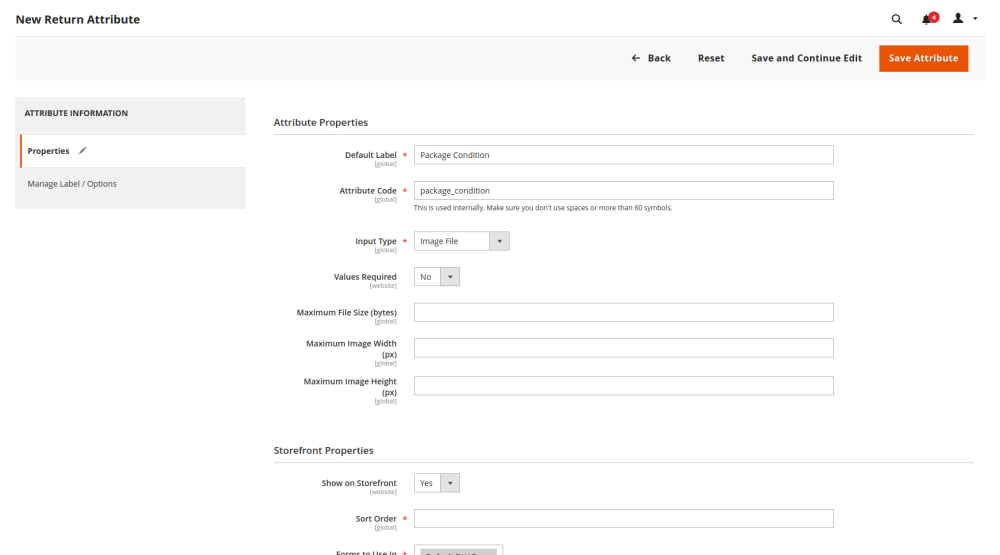
These attributes appear on both:
- Customer RMA form
- Admin RMA management screen
How Customers Submit RMA (Frontend Flow)
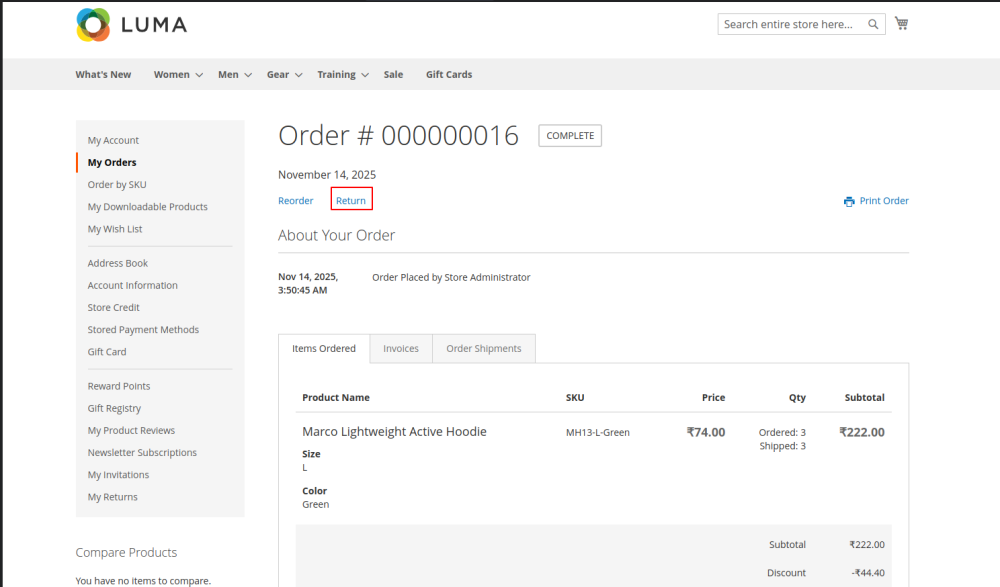
Customers can begin an RMA from:
- My Account → My Orders → View Order → Return
- Orders & Returns widget
- Footer return link
Customers can select:
- Items to return
- Quantity
- Resolution (Exchange / Refund / Store Credit)
- Item condition
- Return reason
- Additional comments
- Contact email
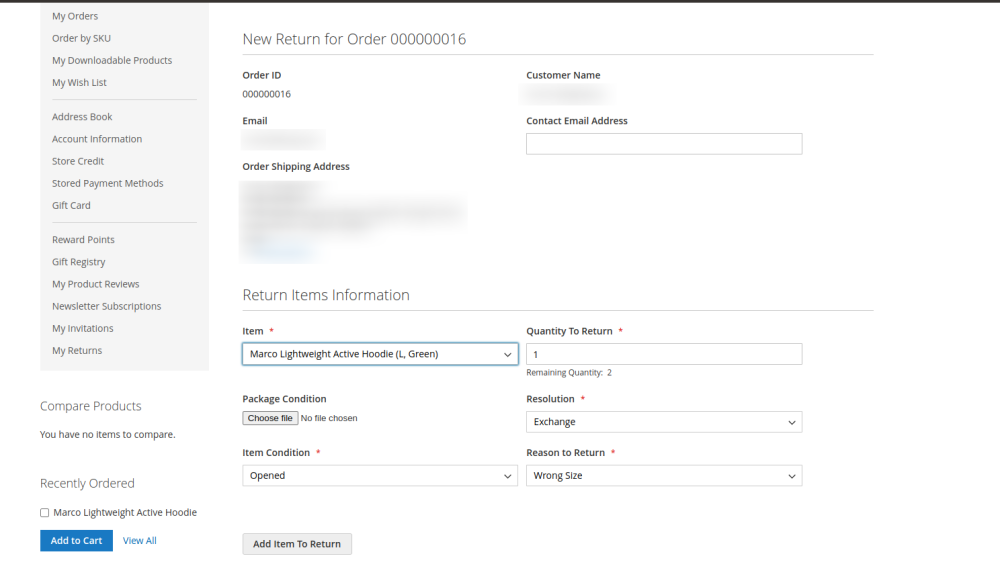
Multiple items can be added to one RMA request.
How Merchants Process RMA (Admin Flow)
Path:- Admin → Sales → Returns → Open RMA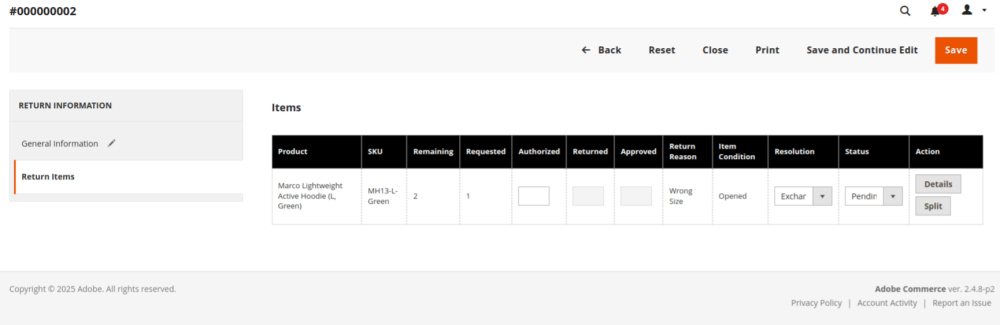
Exchange Processing
- Approve RMA
- Mark items as Received
- Create a new replacement order
Refund Processing
- Approve RMA
- Create a Credit Memo
- Refund to original payment method
Store Credit Processing
- Approve RMA
- Create a Credit Memo and choose Refund to Store Credit
- Customer store credit balance updates
Advantages of Adobe Commerce RMA
For Merchants
- Structured and clear return workflow
- Reduced manual mistakes
- Stronger fraud protection
- Advanced tracking and reporting
For Customers
- Smooth and simple return experience
- Transparent communication
- Multiple resolution options
- Store credit option
- Higher trust and repeat purchases
Final Summary
Adobe Commerce’s native RMA offers:
- Simple return request system
- Flexible resolutions (Exchange, Refund, Store Credit)
- Full admin visibility
- Product-level return control
- Custom return attributes
- Support for return shipping labels
A smooth return flow directly increases customer trust, retention, repeat purchases, and overall store revenue.
About Evrig Solutions
At Evrig Solutions, we build high-performance Adobe Commerce & Magento 2 stores designed for scalability, speed, security, and a seamless customer experience.
If you’re facing return-process challenges or want to elevate your post-purchase journey, our team can help you implement a smooth, hassle-free, and conversion-focused RMA system that enhances customer satisfaction, builds trust, and drives long-term revenue.
Ready to streamline your RMA process or improve your Magento store?
Connect us with our experts today.