
What Is Semantic Search?
Traditional search relies heavily on exact keyword matching. If a shopper searches for a phrase that doesn't exist in your catalog, they may receive poor results - or worse, a "No Products Found" message.
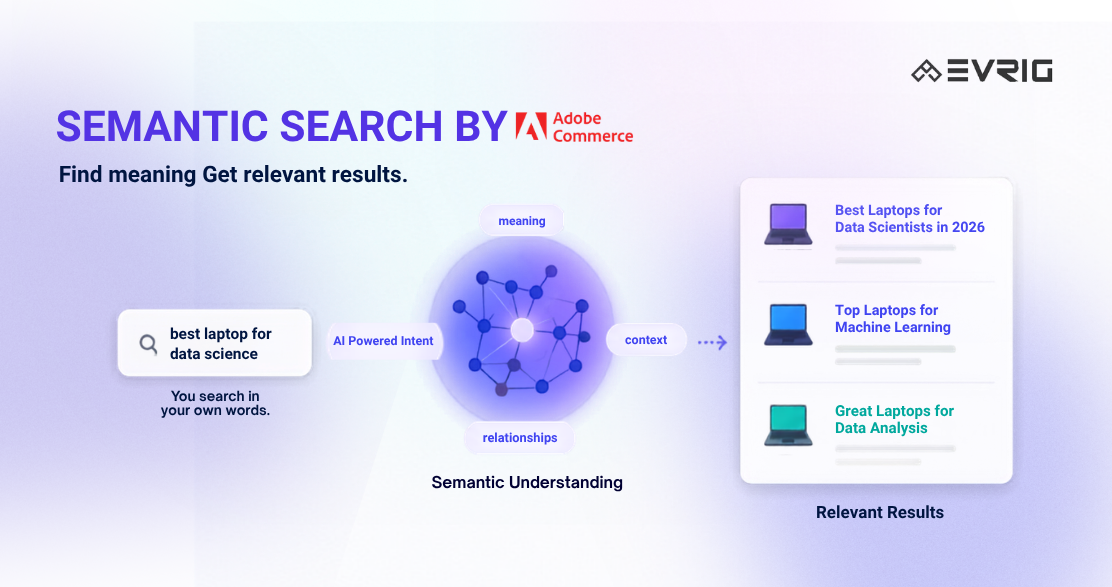
Semantic Search in Adobe Commerce Live Search uses AI to understand the meaning and intent behind a customer's search query, not just the exact words they type.
For example:
- A customer searches for "dress for beach"
- Your catalog may not contain that exact phrase
- Semantic Search can still return relevant products such as summer dresses, resort wear, or lightweight casual dresses
Instead of matching only keywords, Adobe Commerce understands the context of what shoppers are looking for and delivers more relevant results.
Why This Matters for Merchants
Many online stores lose potential sales because shoppers cannot find the products they need quickly.
When customers receive irrelevant search results or no results at all, they often leave the site and continue their shopping elsewhere.
Semantic Search helps solve this problem by improving product discovery and helping customers reach the right products faster.
Key Benefits
- Reduce Zero-Result Searches
- One of the biggest advantages is reducing the chances of customers seeing a "No Results Found" page.
Even when shoppers use natural language or descriptive phrases, Adobe Commerce can often understand their intent and return relevant products.
- One of the biggest advantages is reducing the chances of customers seeing a "No Results Found" page.
- Deliver More Relevant Search Results
- Semantic Search goes beyond exact keyword matching and focuses on what the customer actually means.
- Examples:
- "Leather couch" can return products labeled as "Leather Sofa"
- "Spring dress" can surface “seasonal dresses”
- "Shoes for trail running" can match hiking or off-road “footwear”
- This creates a better shopping experience and helps customers find products faster.
- Increase Conversions and Revenue
- When shoppers find relevant products quickly, they are more likely to purchase.
- Better search relevance can lead to:
- Higher click-through rates
- Improved conversion rates
- Increased average order value
- More completed purchases
- Less Time Managing Synonyms
- Many merchants spend time maintaining large synonym lists to improve search quality.
- While synonyms are still useful for brand-specific or technical terms, Semantic Search reduces the need for extensive synonym management because AI can understand many natural language variations automatically.
- Easy to Enable and Manage
- Semantic Search is managed directly from the Adobe Commerce Admin.
- There is:
- No theme customization required
- No API integration required
- No widget configuration required
- No storefront code changes required
- Merchants can enable or disable the feature themselves without developer involvement.
How Semantic Search Works
When Semantic Search is enabled, Adobe Commerce Live Search combines:
- Traditional keyword matching
- AI-powered semantic understanding
The system automatically analyzes predefined catalog attributes such as:
- Product Name
- Product Description
These attributes help Adobe understand the meaning behind search queries and match products based on context.
Merchants do not need to select attributes, configure relevance rules, or manage AI settings.
How Semantic Search Fits Into Live Search
Semantic Search does not replace your existing Live Search setup.
Instead, it works alongside the features you already use.
When enabled:
- Existing search rules continue to work
- Synonyms remain active
- Facets continue to function
- Product boosts remain unchanged
- Category merchandising settings are preserved
Adobe simply adds an additional layer of AI-powered intent understanding to improve relevance.
How to Enable Semantic Search
Navigate to: Marketing → SEO & Search → Live Search
Open the Settings workspace and enable the Semantic Search toggle.
Click Save.
After saving, Adobe Commerce begins reindexing the catalog.
Indexing Time
Indexing duration depends on catalog size
Search improvements become visible after indexing completes.
Validate Results After Enabling
Once Semantic Search is active, merchants should monitor search performance to measure its impact. Adobe recommends reviewing:
- Unique Searches Report
- Identify your most frequently searched terms and evaluate result quality.
- Zero Results Report
- Review historical searches that previously returned no products and test them again.
- Conversion Metrics
- Search click-through rate
- Search conversion rate
- Search engagement
- Zero-results rate
- Comparing metrics before and after activation can help quantify the business impact.
Best Practices
To get the most value from Semantic Search:
- Use Strong Product Content
- Write clear and descriptive product names and descriptions.
- Adobe recommends product descriptions with meaningful content (typically 50–100 words) to provide better context for AI matching.
- Keep Important Synonyms
- Semantic Search is powerful, but specialized industry terminology, brand-specific language, and technical product names may still benefit from synonym rules.
- Combining both approaches often produces the best results.
Things to Know Before Enabling
- English Catalogs Only
- Currently, Semantic Search is available only for English-language catalogs.
- If the catalog language is changed to a non-English language, the feature is automatically disabled.
- Limited Admin Controls
- Adobe Commerce provides a simple enable/disable option.
- Merchants cannot currently configure:
- Semantic boost levels
- Similarity thresholds
- Advanced AI relevance controls
- Fuzzy search settings
- The AI model handles these decisions automatically.
Final Thoughts
Semantic Search is an easy way for Adobe Commerce merchants to improve product discovery and deliver more relevant search results. By understanding shopper intent instead of relying only on exact keyword matches, it can reduce zero-result searches, improve customer experience, and help increase conversions.
Need help optimizing Adobe Commerce Live Search or enhancing your Magento store's search experience? Contact the Evrig team for expert Adobe Commerce development and Magento support.